
Work a session together.
Share a running chat or Cowork session with a link. Others watch it live, suggest messages, or take the wheel when you hand it over. The run, the folder and your keys never leave your machine, and shares are end-to-end encrypted.
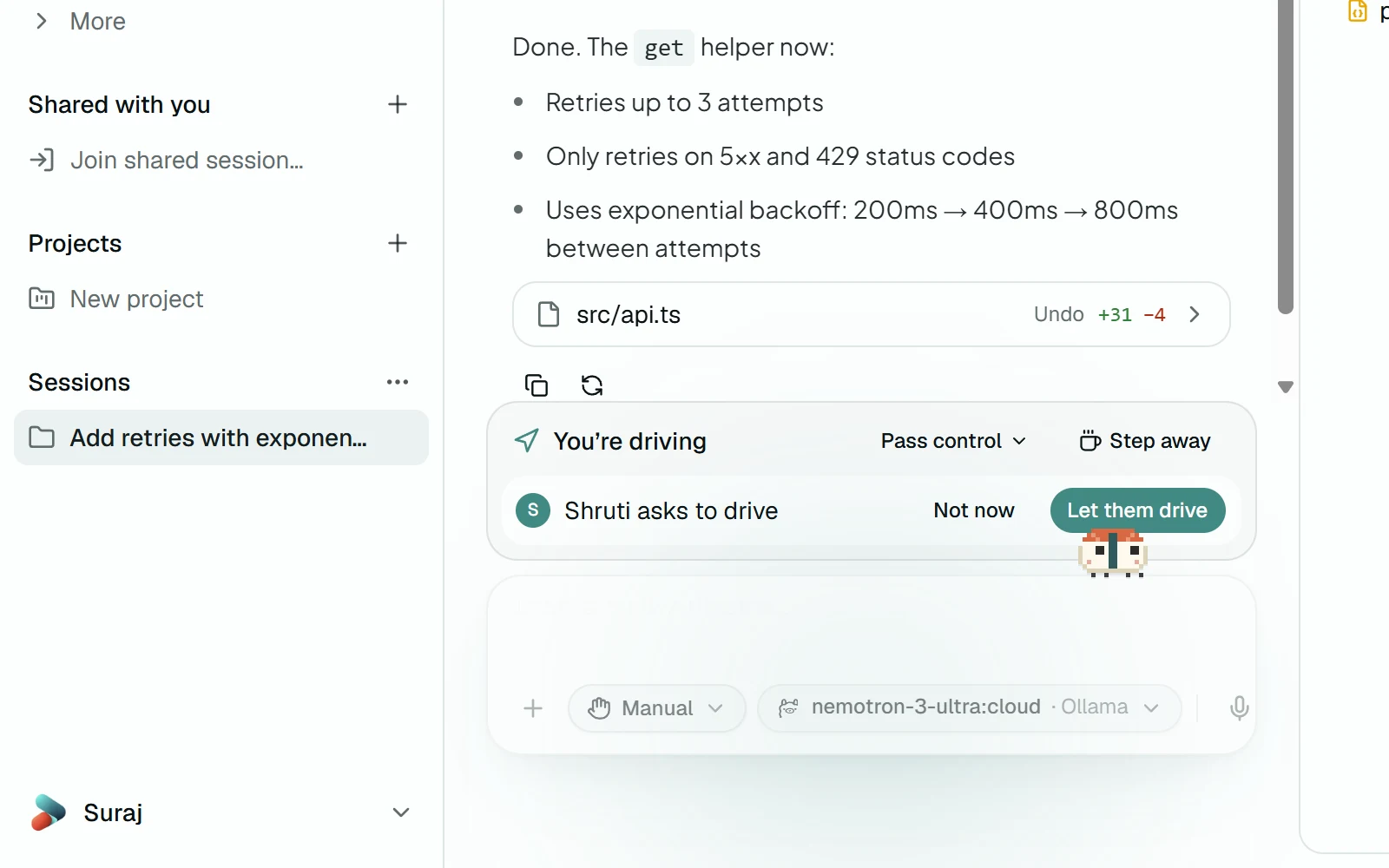
Two apps, one session.
Suraj (left) shares a Cowork session, lets Shruti (right) in and hands her control. Her message steers the run on his machine, then he takes it back. Recorded in the harness, sped up 1.5×.
- 01
Point everyone at a relay
Settings → Sharing holds the relay and your account on it. On your own network, one of you runs bun run dev:relay and everyone uses that machine's address.
- 02
Share the session live
Pick Share live… from a session's menu. End-to-end encryption is on, and one click starts sharing and copies the invite link.
- 03
Let them in
A link only gets someone to the lobby. They knock, and you let them in or turn them away.
- 04
They watch it run
Guests see the transcript, tool calls and the files it changes, on your machine. Approvals say who they're waiting for.
- 05
Pick a role for each person
Watches, Suggests or Drives. One person drives at a time, and only you decide who.
- 06
Hand over what they may approve
While someone else can steer, risky actions ask you again, unless you hand them to the driver.
- 07
Steer it together
The driver's messages join the run with their name on them. Take control gets it back in one click.
- 08
Comment, and keep a log
Comments sit beside the session and never reach the agent. The activity log lists every join, hand-off and message.
- 09
Or just open the link
No app needed to watch: the invite link opens a browser viewer, encrypted too, with comments.
Hand it a folder.
Download the harness, add a key or point it at a local model, and see what it does with your own code.